
Planner
My work planner: it turns projects into calendar blocks, tells me what to do right now, tracks hours per client and reads shopping receipts with AI.
I work alone, with several clients at once: websites, SEO, ad campaigns and design. My tasks lived in one place, my calendar in another, my hours in a spreadsheet and my expenses in yet another. Every morning I lost time deciding where to start, and at the end of the month I had to piece together how many hours each client had taken.
Build a tool so simple that it actually gets used every day, on the computer and on the phone. If logging something takes more than one gesture, the tool ends up abandoned.
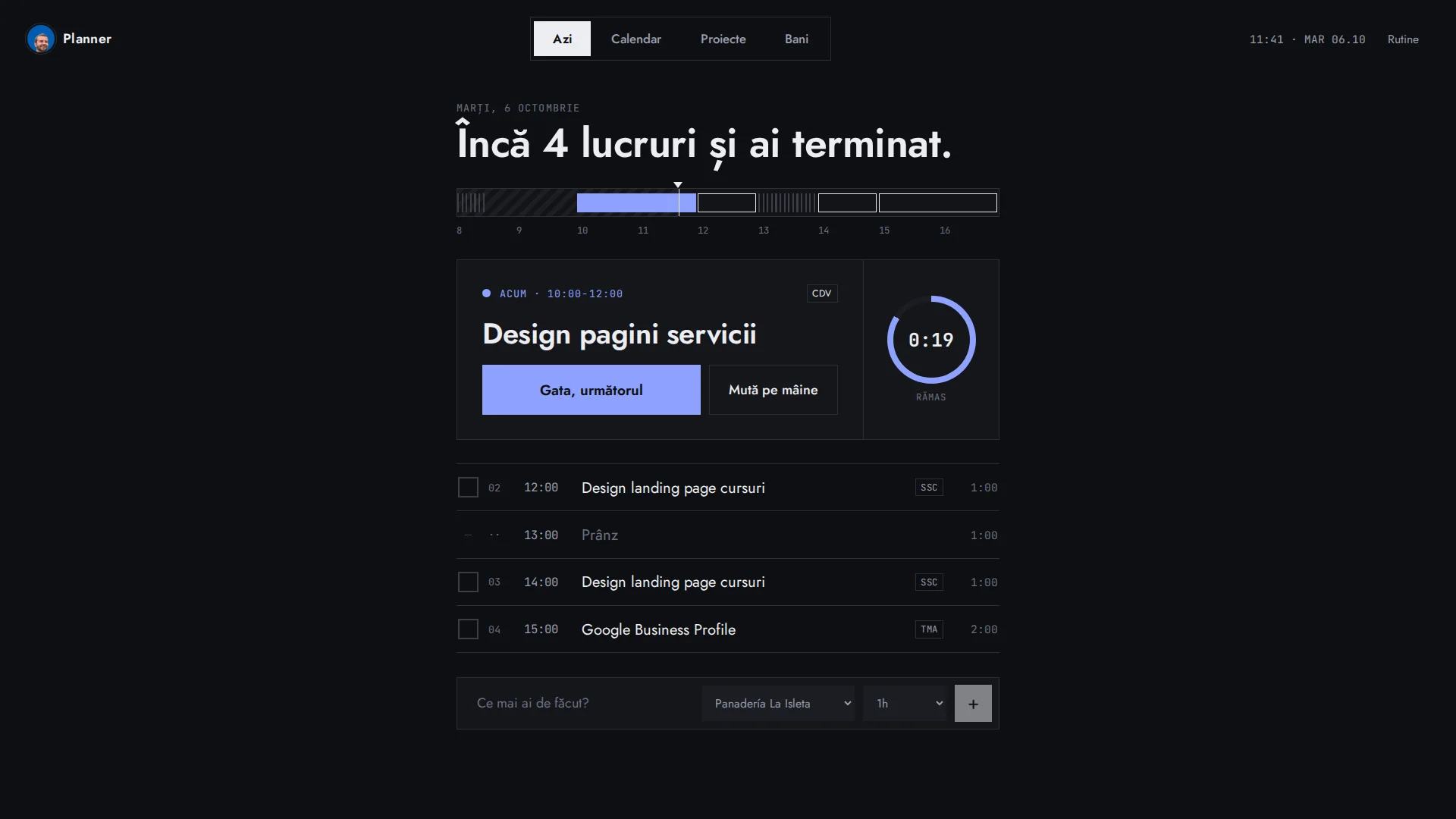
I started with a dashboard full of modules (sales pipeline, contracts, revenue, a calculator) and kept removing things until four screens were left: Today, Calendar, Projects and Money. The core is a scheduler: I give it a project's tasks with their duration and it places them in the calendar within my working hours, Monday to Friday from 10 to 5, around routines like lunch and without moving anything I placed by hand. The design is dark, two-colour and set in a geometric, Bauhaus-inspired typeface. The Today screen only shows the current task, the time left on it and what comes next.
- 01A "Today" screen with the current task, the time left and a day timeline showing what is done, current and pending
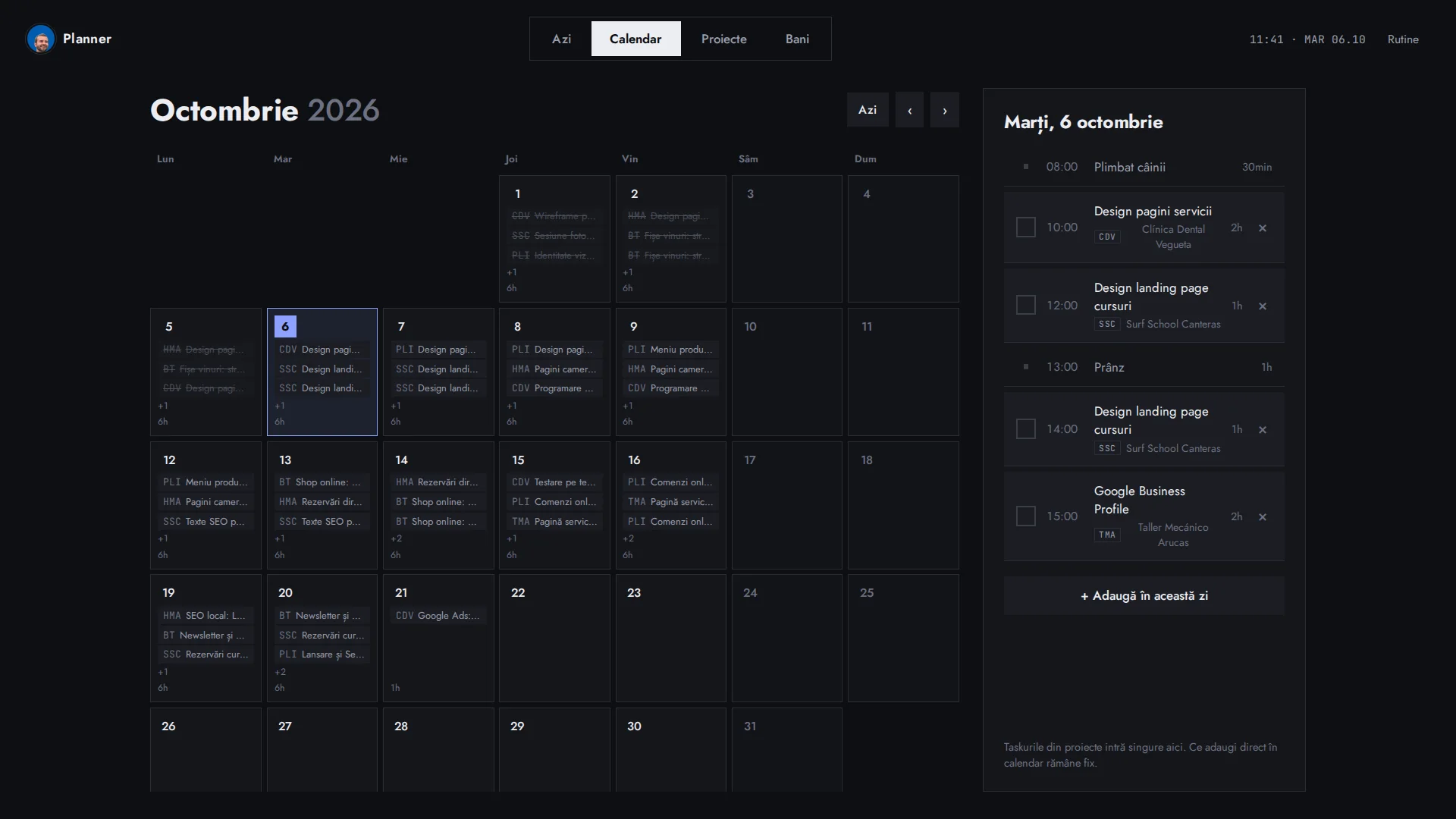
- 02An automatic scheduler that spreads each task's hours across the calendar based on priority and working hours
- 03Blocks left undone are moved to the next day on their own, plus "Move to tomorrow" in one tap
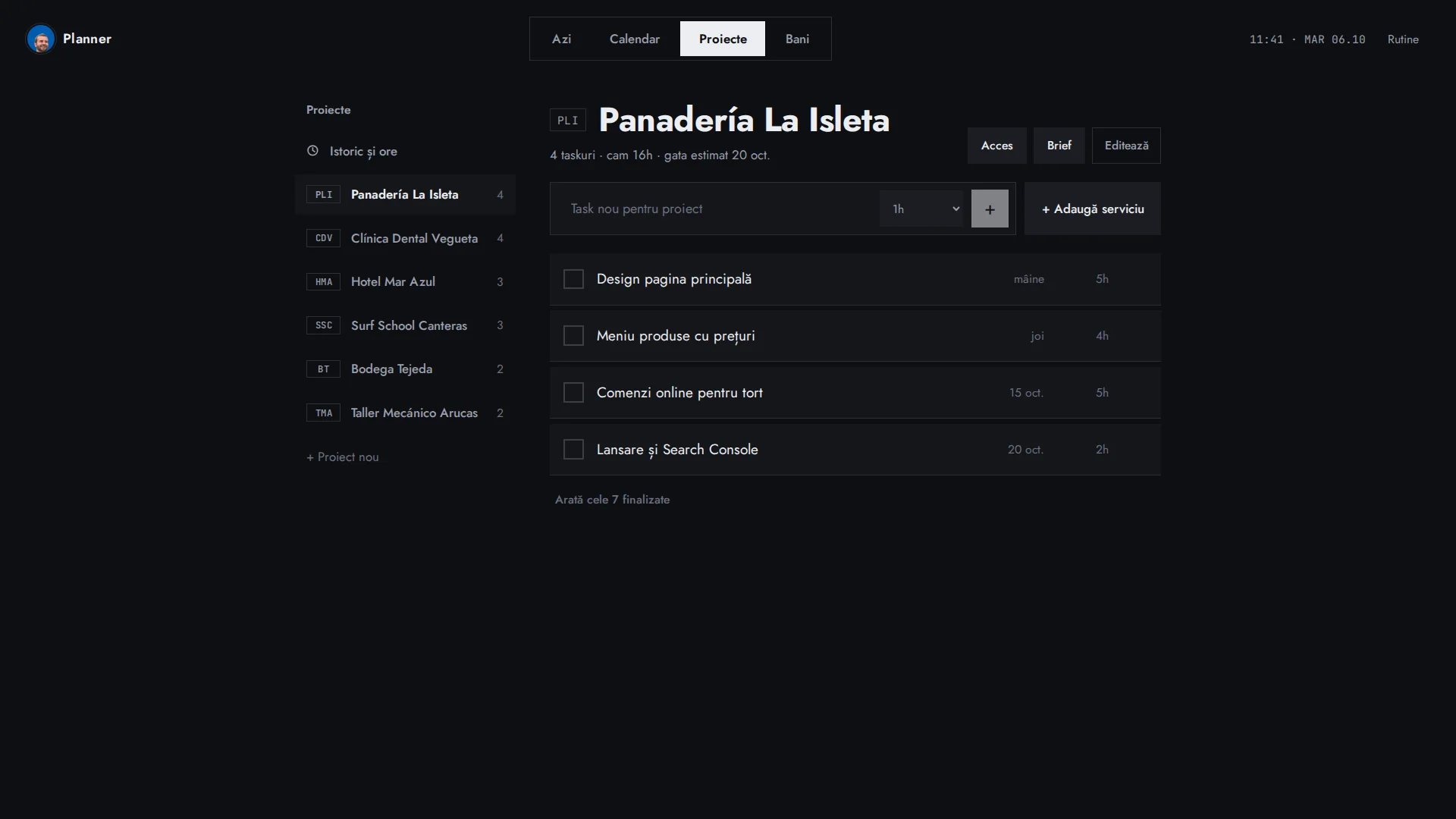
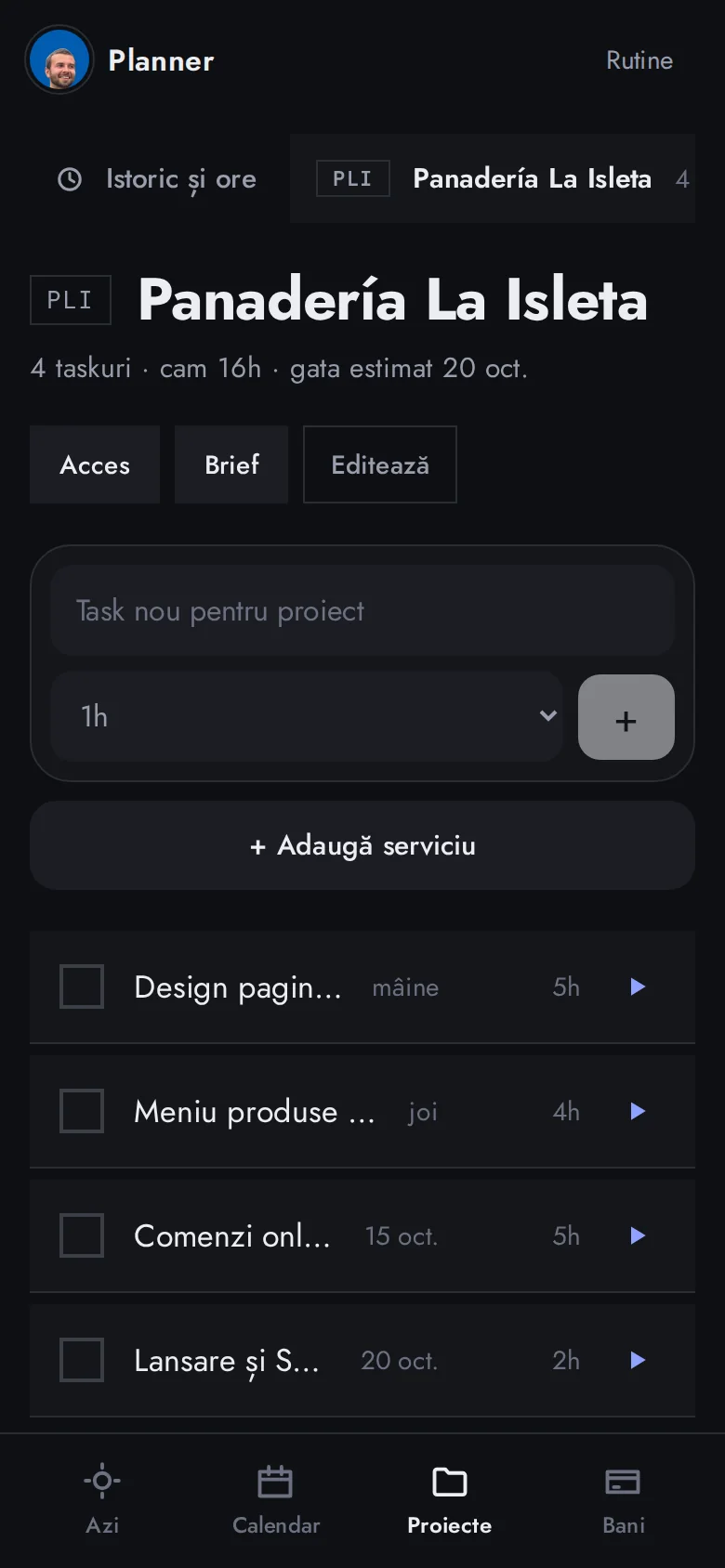
- 04Projects with a short code, tasks, predefined services that turn into tasks, logins and the client brief
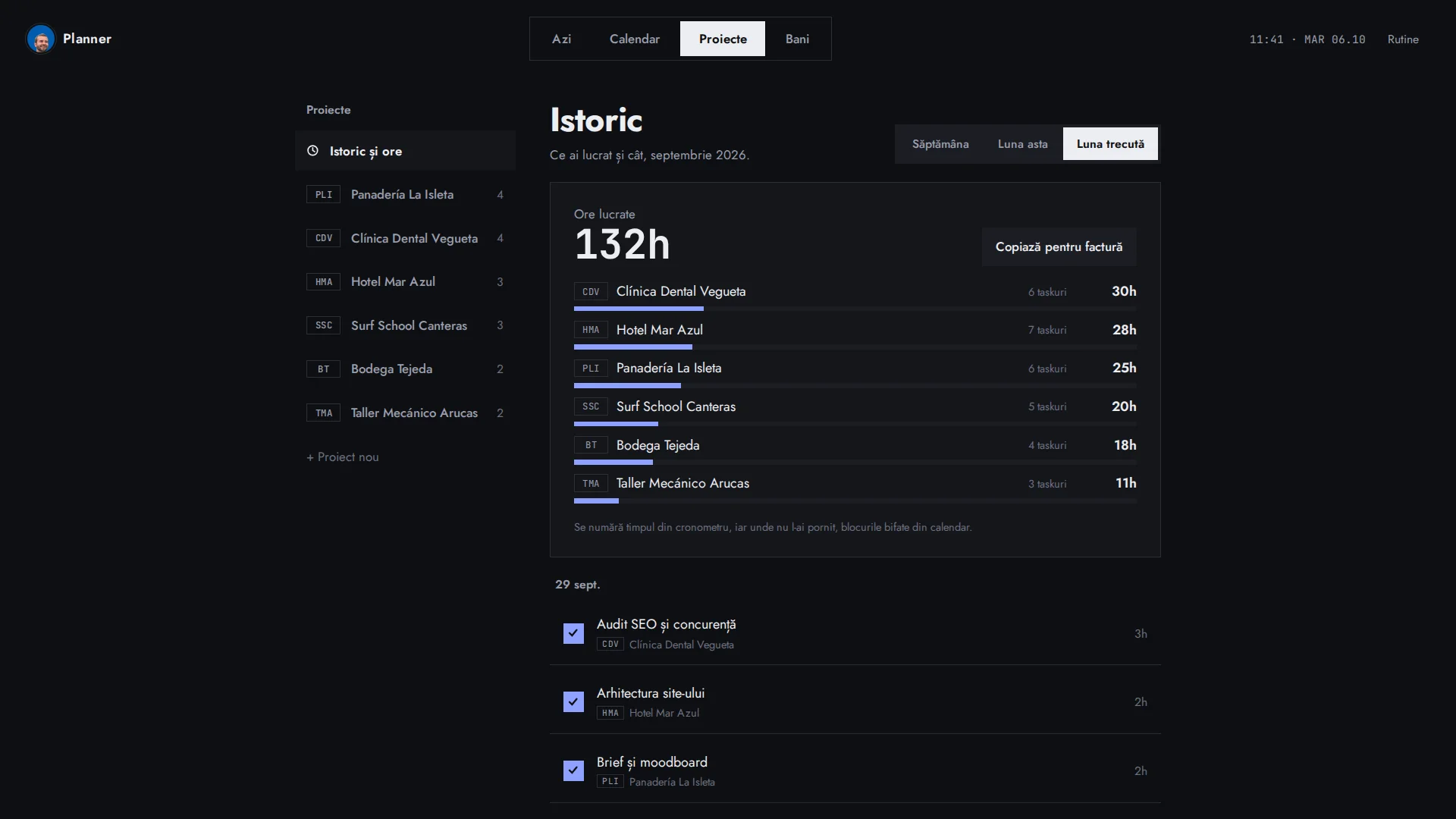
- 05Hours history per project and per month, ready to copy into an invoice
- 06Personal finances: income, expenses, fixed costs, savings goals and an investment projection
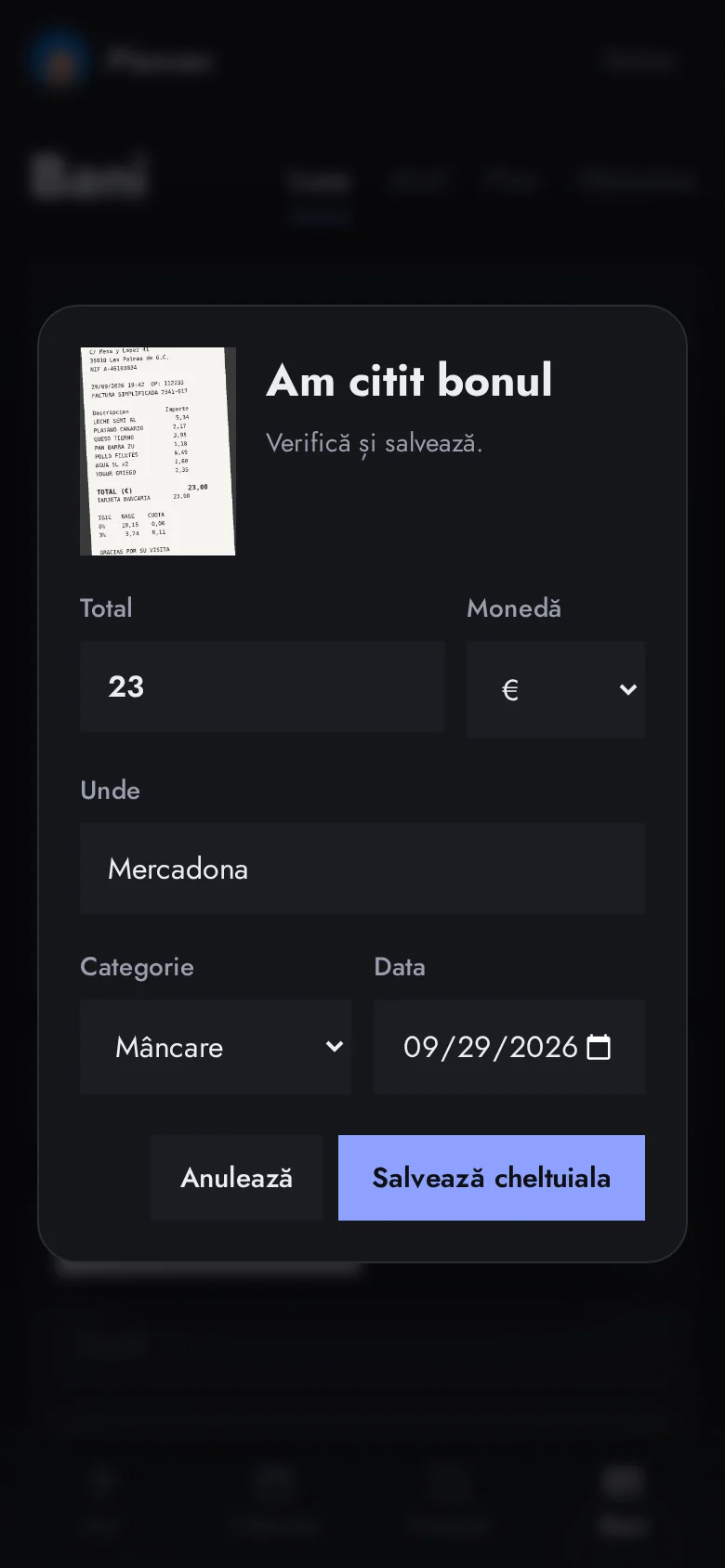
- 07Receipt reading with the Claude API: take a photo and it fills in amount, shop, date and category for you to review before saving (about $0.006 per receipt)
- 08Routines that reserve their slot in the calendar, and a mobile-first design with bottom navigation
- 09A private area behind a login, kept out of search engines
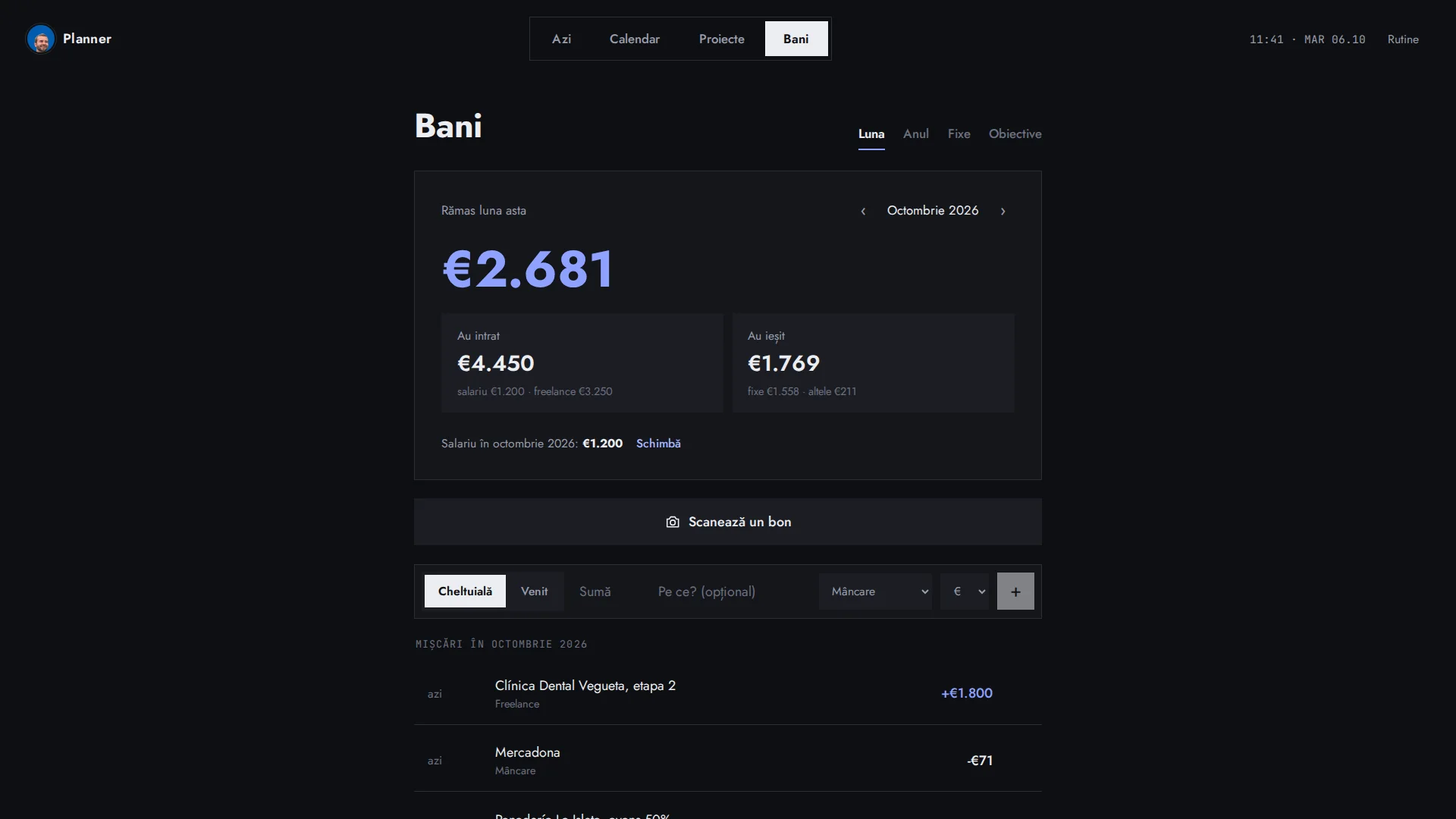
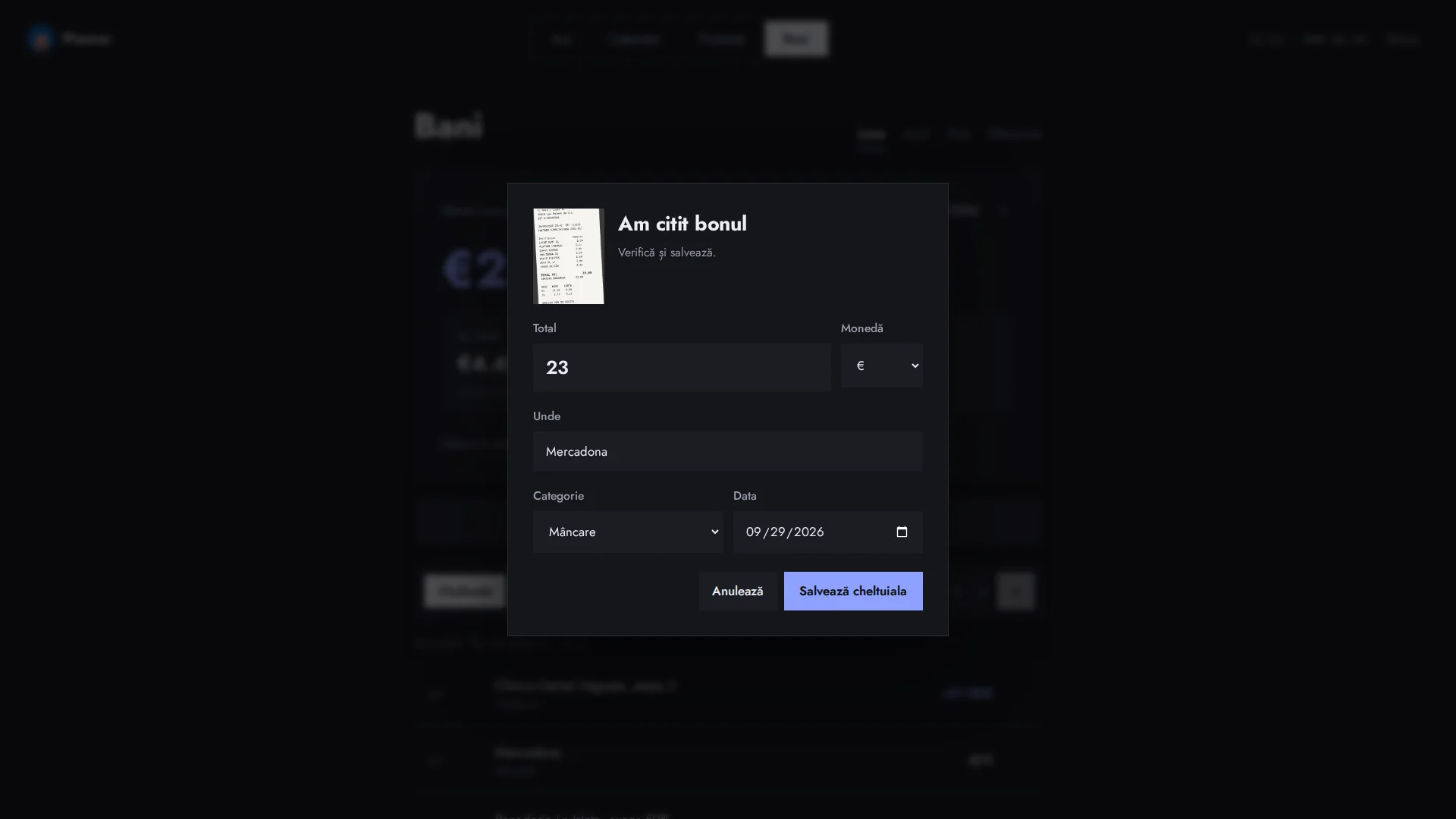
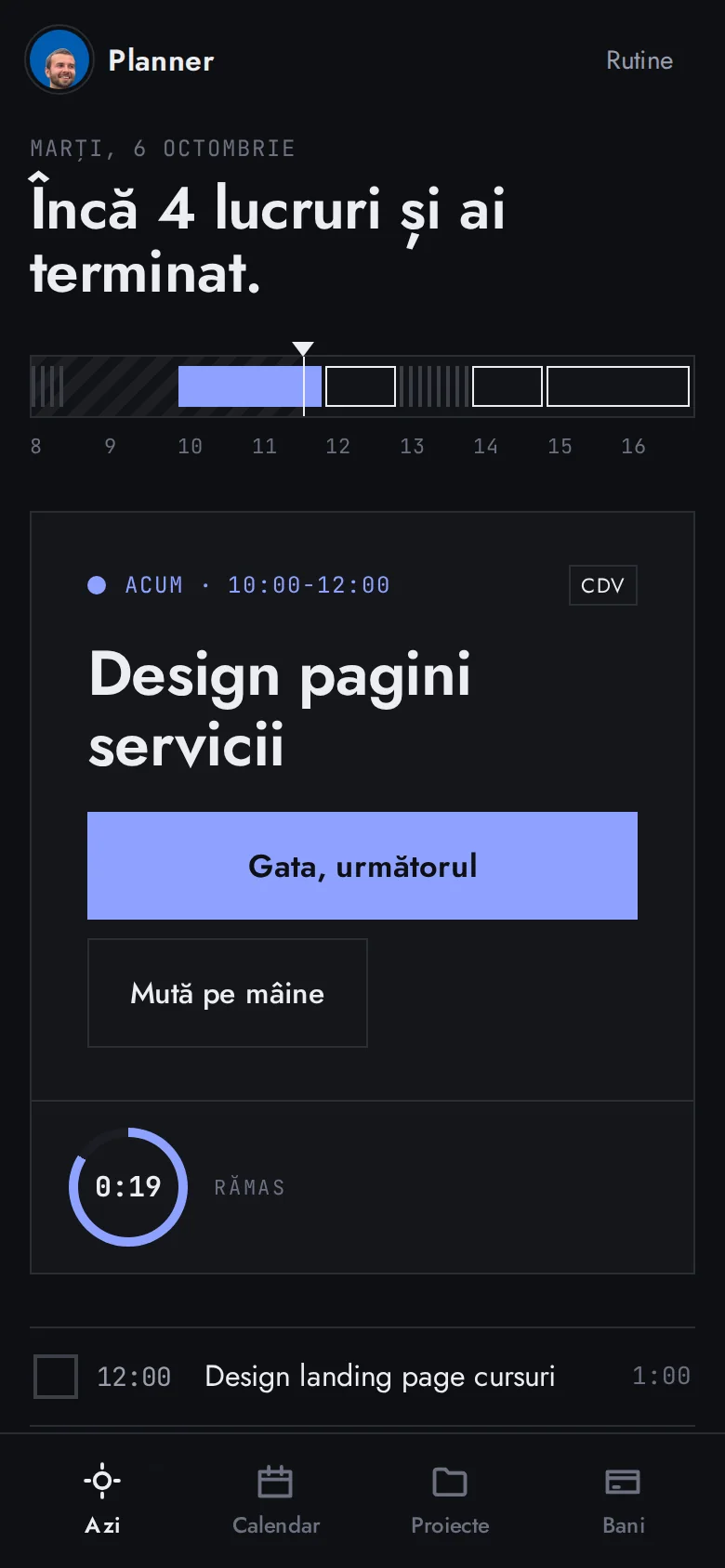
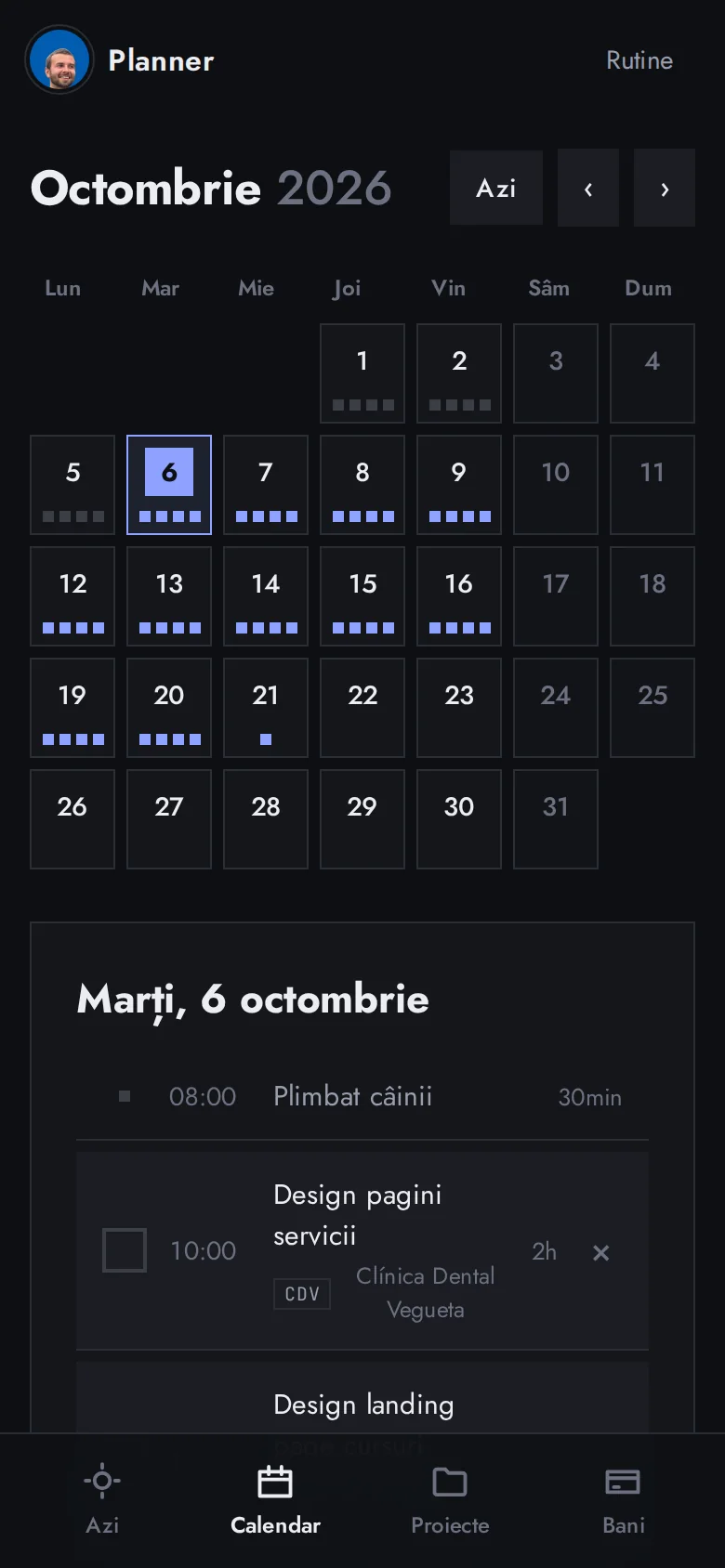
I no longer have to decide where to start: the planner tells me what is next and how long is left. Each client's hours add themselves up at the end of the month, and expenses get logged on the spot with a photo. The interface is in Romanian because it is a tool for me, and the screenshots use demo data: the projects, clients and figures are made up.
The feature that improved the tool the most was removing features. Every module I cut made me use the rest more.